WhatsApp Business
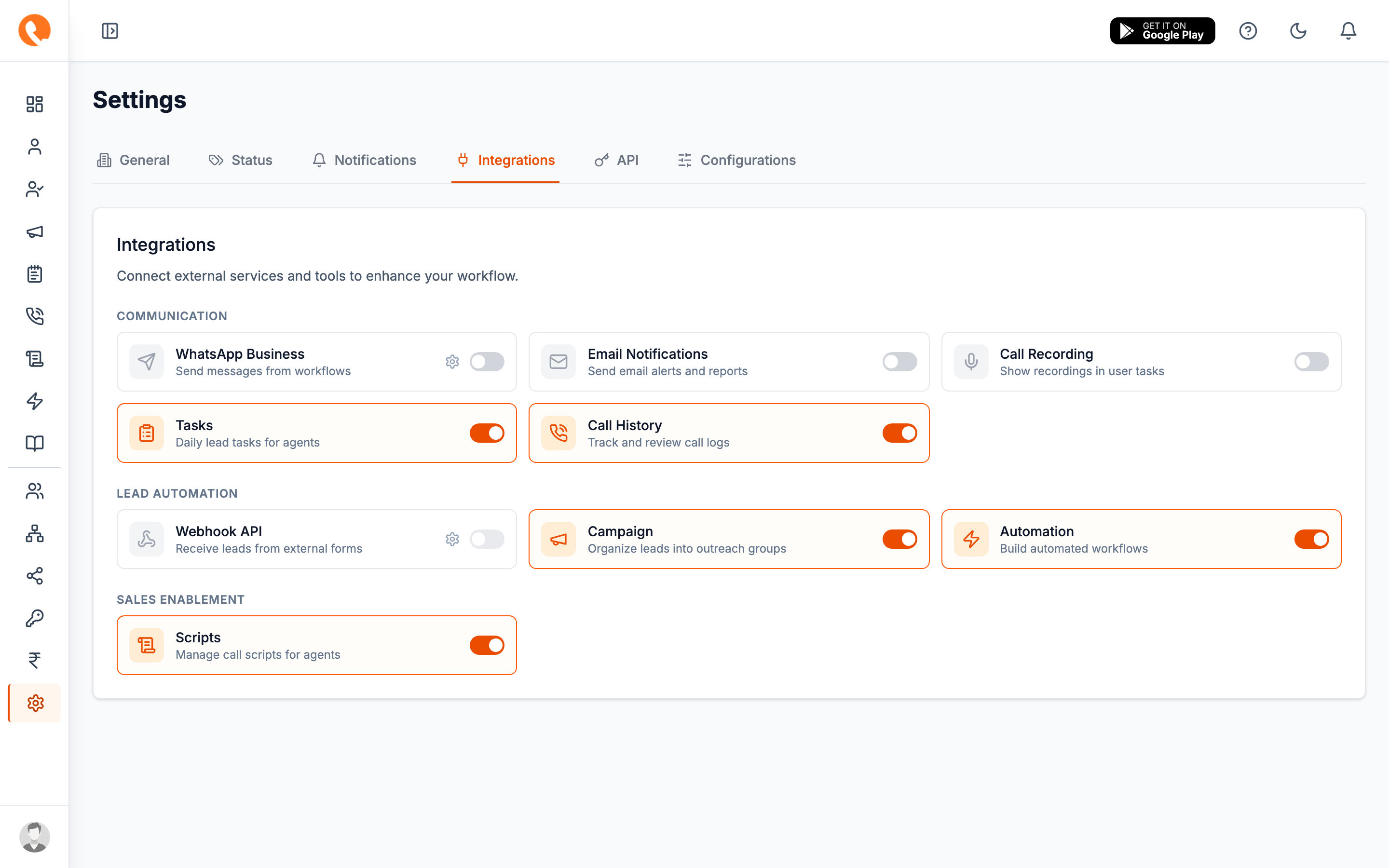
Settings → Integrations → WhatsApp Business
Connect a Meta WhatsApp Business account so Calliyo can send template messages to leads from workflows, follow-up reminders, and one-off actions.
Prerequisites
You need an approved Meta WhatsApp Business account with:
- A registered phone number (and its Phone Number ID)
- A WhatsApp Business Account ID (WABA ID)
- A permanent Access Token from the Meta App configured for the business
- At least one approved message template in Meta’s catalog
If you don’t have these yet, follow Meta’s setup at business.facebook.com before continuing.
Connecting
- Open Settings → Integrations.
- Toggle WhatsApp Business on. The card now shows a Needs token warning until you fill in the credentials.
- Click Configure to open the drawer.
- Fill in:
- Access Token — the permanent token from Meta.
- Phone Number ID — e.g.
123456789012345. - WhatsApp Business Account ID — your WABA ID.
- Default template language — e.g.
en_USoren. This is the locale Calliyo falls back to when picking a template variant.
- Click Save.
The access token is stored server-side and never sent back to the browser. After saving, the Access Token field is shown as masked. To rotate, paste a new token and save again.
Testing the connection
After credentials are saved, the drawer shows a Test Connection button. This calls Meta’s API with your phone number ID and reports back:
- ✅ Connection OK → you’re good to go.
- ❌ Specific error → usually a wrong Phone Number ID, expired token, or a number that isn’t registered with WhatsApp Cloud API.
What happens next
With WhatsApp Business enabled:
- Workflows can include a “Send WhatsApp message” step.
- Lead detail pages get a WhatsApp button.
- Follow-up reminders can be sent over WhatsApp if you wire it up in a workflow.
Disabling
Toggle WhatsApp Business off in the Integrations tab. Your credentials are preserved — re-enabling does not require re-entering the token.