Billing & subscription
Sidebar → Billing
The Billing page shows your current plan, lets you change the number of licenses (agent seats), download invoices, and manage your subscription with Razorpay.
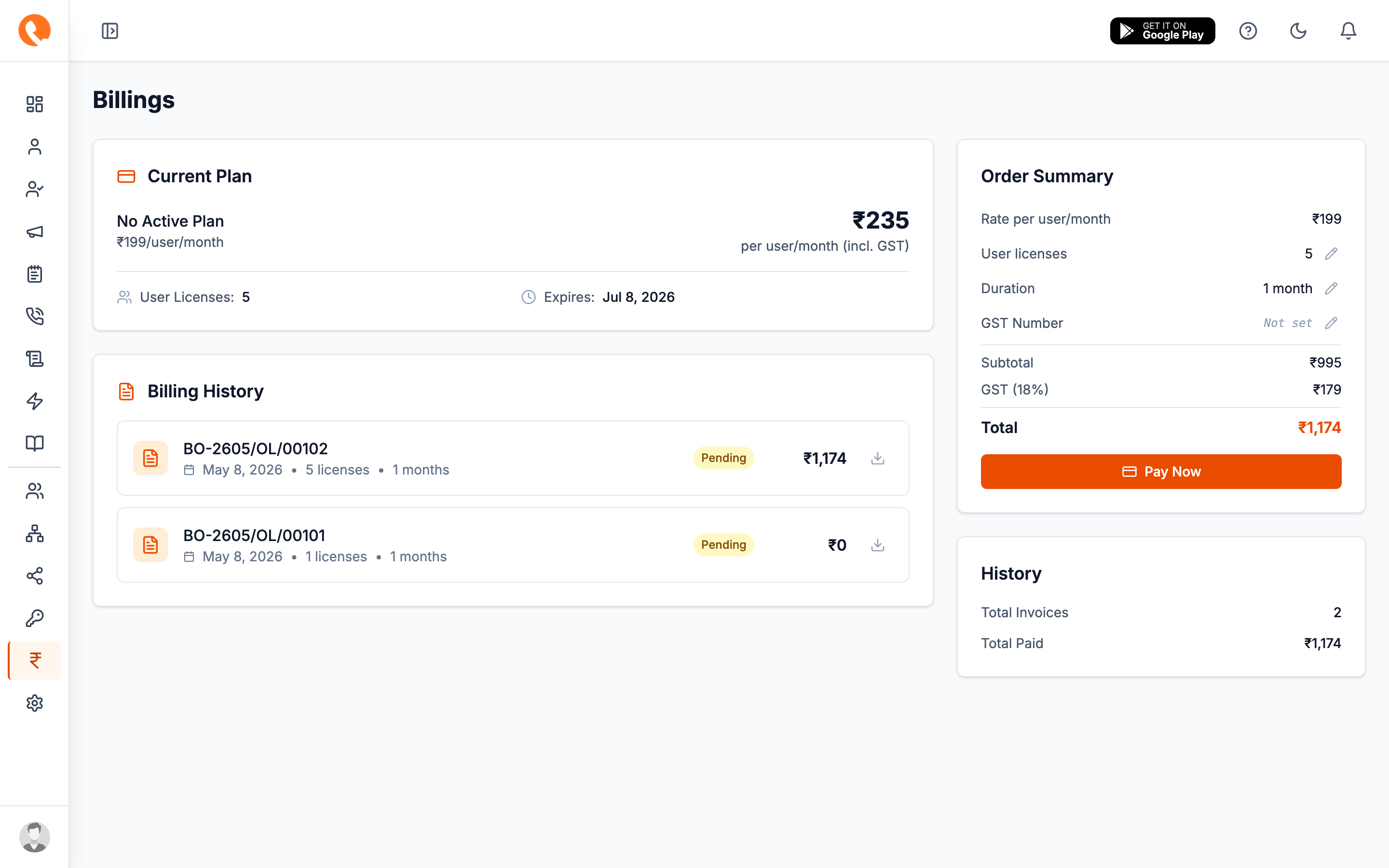
What you’ll see
Current plan
A summary card with your current plan name, the agent seat count it allows, and renewal date. If your subscription is expired or cancelled, the top of the app surfaces a banner and most write actions are blocked until you renew.
Licenses & months
The number of agent seats you’ve paid for, and how many months of service. Edit these inline and click Save to start a re-purchase flow.
GST number
Editable here as well as in Settings → General. Saving it on either page updates the same record.
Invoices table
Every paid order shows up here. Each row has a Download link for the PDF invoice. Statuses:
- Paid — completed.
- Pending — payment initiated but not yet confirmed by Razorpay.
- Failed — payment did not go through.
Buying more seats
- Click Buy licenses (or Update licenses if you have an active subscription).
- Set the Licenses count and the Months of billing.
- Confirm GST and totals.
- Pay via the Razorpay modal.
Once payment confirms, your seat limit increases immediately and any banner goes away.
Subscriptions vs one-time orders
Calliyo supports both:
- One-time order — pay for N licenses × M months once. No auto-renewal.
- Subscription — auto-renews monthly via Razorpay. Easier for long-term use; can be cancelled at any time.
You’ll choose the type in the payment modal.
Cancelling
Active subscriptions show a Cancel subscription action. Cancellation takes effect at the end of the current billing period — you keep using Calliyo until then.
Cancelling does not delete your data. It pauses billing and at the end of the period, the account becomes read-only. Re-subscribe within the retention window to restore full access.