General — company profile
Settings → General (?tab=general)
This tab carries the basics about your company. The values here show up on invoices, reports, and (in the case of the logo) the top-left of the app for every user in your account.
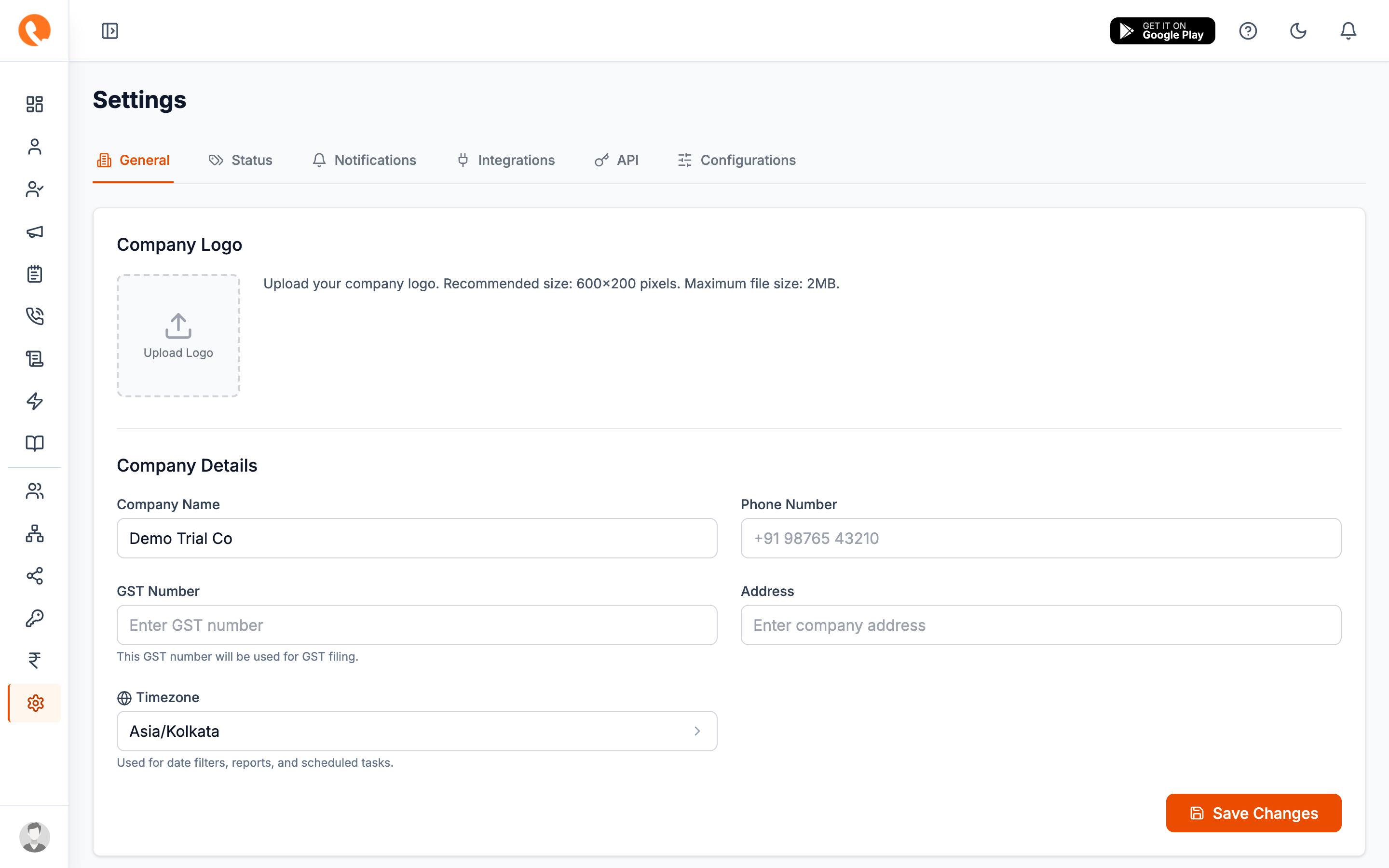
Fields
Company logo
Upload a PNG or JPG to use as your company logo. The image is shown to all your users in the top-left of the app and is embedded in PDF invoices.
- Recommended size: 600 × 200 px
- Max file size: 2 MB
- Save Logo button persists the uploaded file
- Remove Logo button is shown once a logo exists
The logo is saved to S3 the moment you click Save Logo — separate from the other fields on this page.
Company name
The legal or trading name of your company. Appears on invoices, sign-in pages, and emails sent from Calliyo.
Phone number
A general contact number for your company. Format: +91 98765 43210.
This is the number leads will see on outbound caller ID where supported, and the number shown on invoices.
GST number
Your tax identification number.
This GST number is used when generating tax invoices through the billing system. Double-check it before you start running paid orders — corrections after the fact can be messy for accounting.
Address
Your registered business address. Free-text, single field. Used on invoices.
Timezone
A searchable dropdown of every timezone. This setting is load-bearing:
- Every date filter, daily-cap reset, and scheduled task on your account honours this timezone.
- Reports group calls and follow-ups into days based on this timezone.
Changing the timezone mid-month will shift how today’s calls and follow-ups are bucketed in reports. Do it at the start of a working day if you can.
Saving
A single Save Changes button at the bottom of the tab persists Company name, Phone number, GST number, Address, and Timezone together. The logo has its own save button (see above).