Getting started
This page assumes your company has already been onboarded to Calliyo and that you have a username and password (or that the system admin has created your account).
1. Sign in
Open your Calliyo URL
Most teams use https://app.calliyo.com. Your admin will share the exact link
if your company uses a custom domain.

Enter your credentials
Use the email address your admin invited and the password you set during account verification. If you forgot your password, click Forgot password? and follow the reset email.
Land on the dashboard
After signing in you’ll see the dashboard. The left sidebar is your main navigation — every section of this guide refers to it.
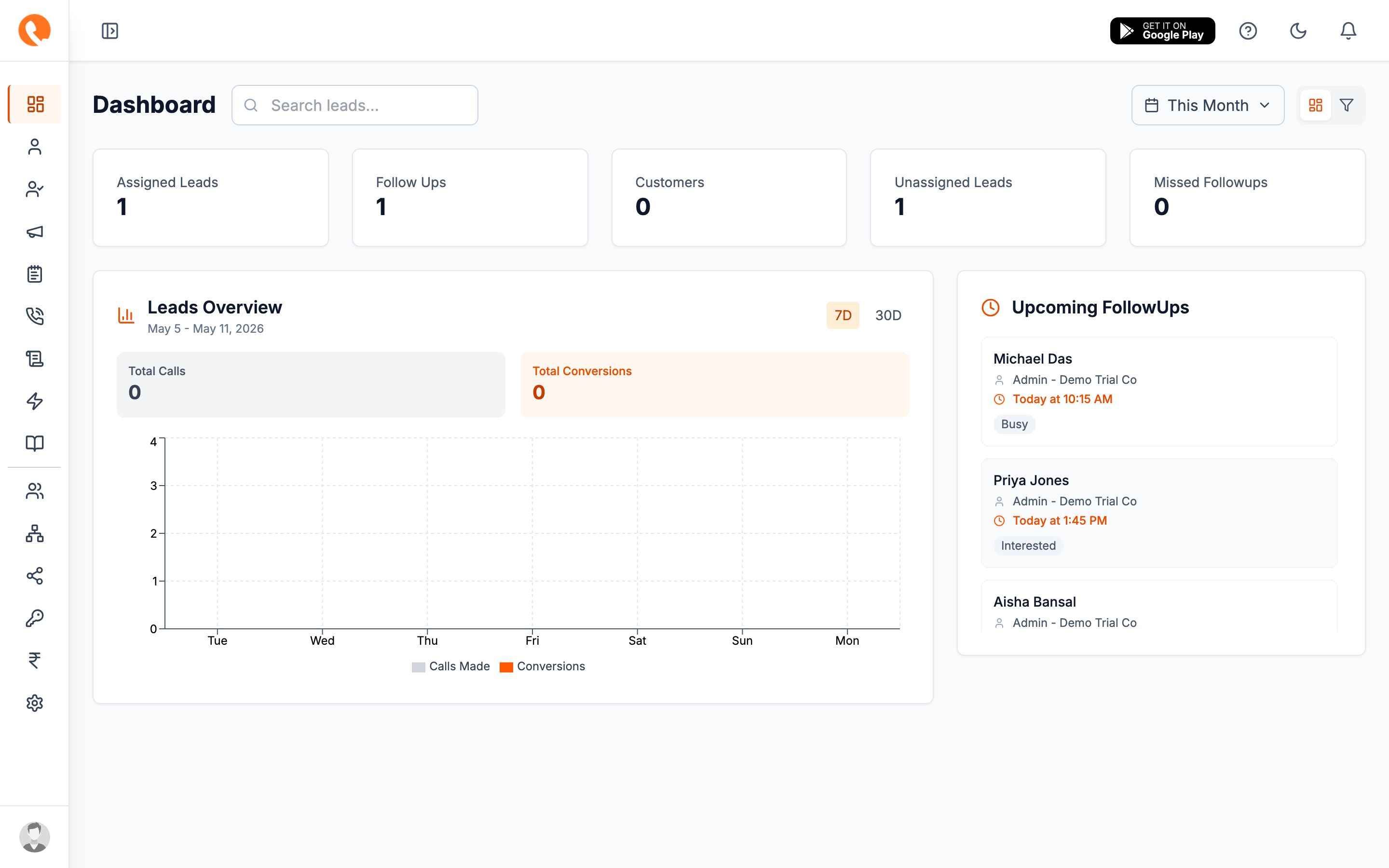
2. Take the quick tour
If this is your first time, the in-app tour will highlight the key areas:
- Dashboard — KPIs, today’s calls, follow-ups due.
- Leads — the heart of Calliyo, where you work the pipeline.
- Customers — leads that converted.
- Tasks — work queue for agents.
- Call history — every call your team has logged.
- Reports — performance over time.
- Settings — company-wide configuration (admins only).
The items you see in the sidebar depend on your role. Agents see fewer items than admins. See Users & roles for details.
3. Set up your profile
Click your avatar in the top-right and choose Profile. Confirm:
- Your name and email are correct.
- Your phone number is set — needed for callbacks and WhatsApp.
- Your timezone matches where you work — call timestamps depend on it.
4. Know your role
What you can do in Calliyo depends on your role:
| Role | Typical capabilities |
|---|---|
| Company admin | Full access — settings, users, billing, all leads |
| Manager | All leads in their branch/department, reports |
| Agent | Only leads assigned to them, log calls, follow-ups |
If a menu item is missing or you see “You don’t have permission”, it’s almost always a role issue — ask your admin to check your role under Settings → Roles.
What’s next?
Now that you can sign in, the natural next step is to learn how leads move through Calliyo. Continue with the Lead lifecycle overview.